Looking for custom gifts? WhatsApp us now! (+65 8950 4969)

How event organisers in Singapore can handle guest data responsibly, from registration and photos to lucky draws and door gifts, with support from DayTech Gifts where gifting is involved.
If you plan events in Singapore, you already deal with guest lists, QR codes, door gifts, sponsor booths and photo walls. Each of these touches personal data. This Events PDPA Guide for Organisers in Singapore explains how to handle that data in a way that respects the Personal Data Protection Act (PDPA), without slowing down your event or making it less enjoyable.
The focus is practical. We will look at registration, check-in, photography, lucky draws, sponsor leads and, of course, door gifts and redemptions where a partner like DayTech Gifts can support you.
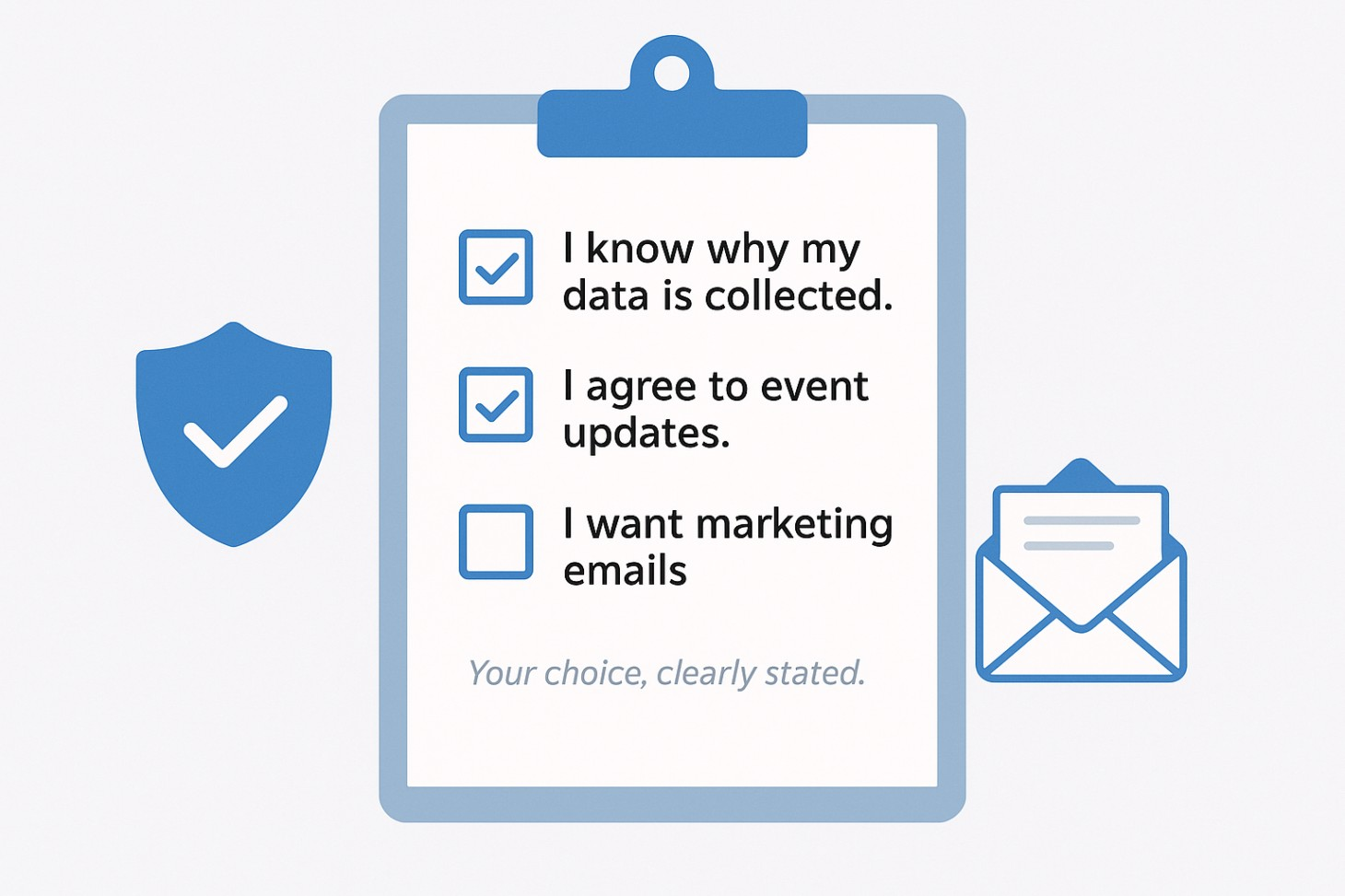
PDPA is not just a legal checkbox. For event attendees, it is a question of trust. Guests hand over their names, contact details and sometimes their job titles, dietary needs and shirt sizes. Sponsors and partners expect you to handle that information properly. If something goes wrong, the public blowback can be swift and brutal.
In simple terms, PDPA expects you to tell people why you are collecting their data, get consent for what you will do with it, collect only what you need, protect it from misuse, keep it only as long as necessary and handle complaints or incidents responsibly. You do not need to quote the law to your guests. However, you should design your event’s data management in a way that is fair and transparent to a normal person.
A useful test is this: a guest should be able to look at your registration form, your notices and your lucky draw terms and think, “I understand what they will do with my data, and I am comfortable with it.” If you can achieve that, you are already in a much better place.
Before the event, you might collect data through registration pages, RSVP forms, ticketing systems and emails. Typical fields include name, email, mobile number, company, job title, dietary restrictions and, for some events, clothing size or preference if you are preparing customised gifts.
During the event, data appears again through check-in lists, QR codes, badges, lucky draw slips, sponsor lead capture forms and, importantly, in photos and videos. Staff sometimes add extra notes on printed lists or export data into their own spreadsheets to solve small operational problems. Each of those small actions carries some risk.
After the event, you are likely to reuse the same data for thank you emails, feedback forms, follow-up campaigns and, in some cases, sharing leads with sponsors. If you send gifts after the event, you may also collect residential or office addresses.
If you sketch this out as a simple flow on one page, you often realise you do not need as many separate data sets as you thought. One core guest list, managed properly, can support registration, communication and gifting without multiple copies floating around your organisation.
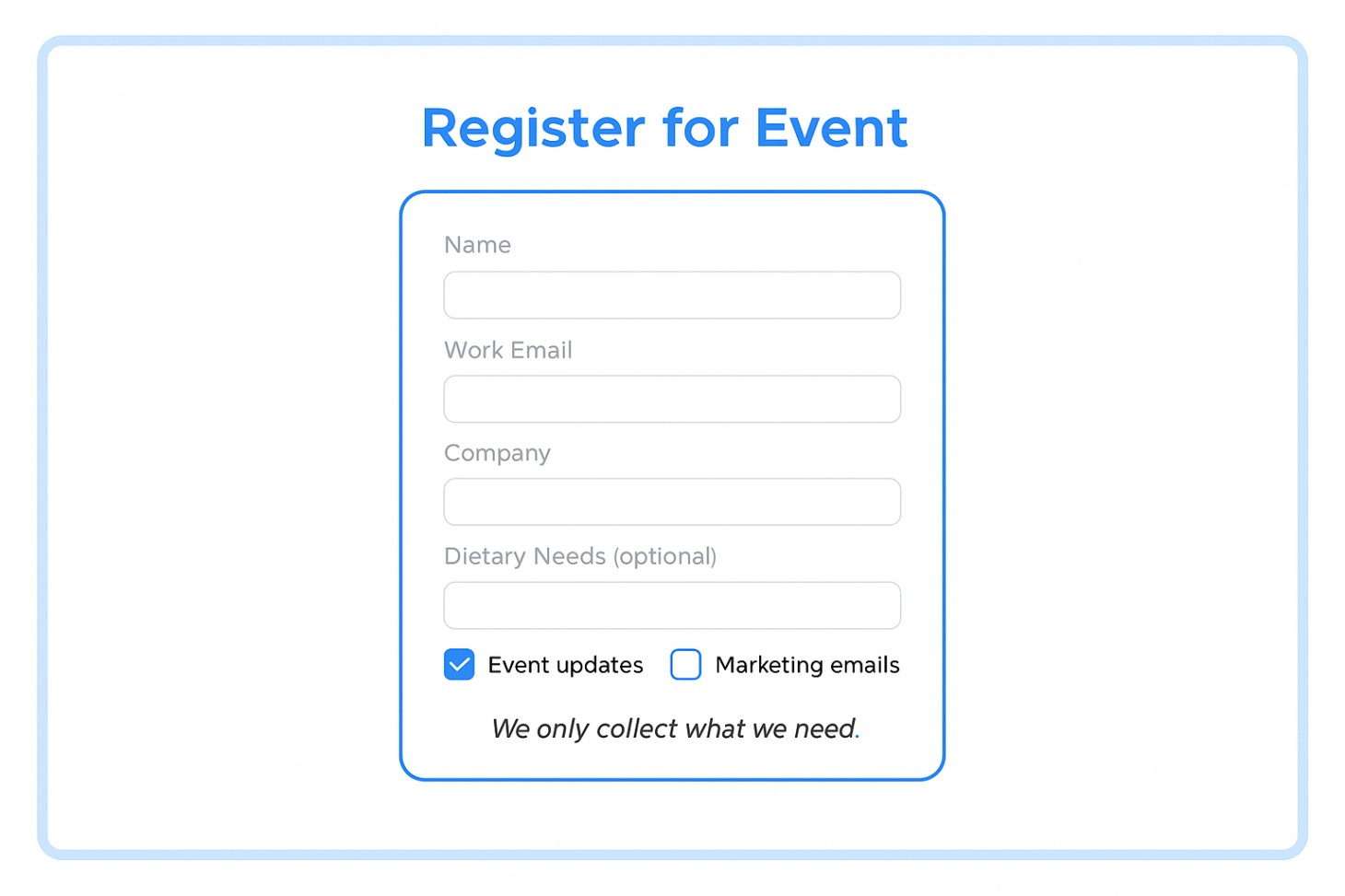
Registration is the best point to get PDPA right. It sets the tone and prevents painful fixes later.
Start with a clear explanation of why you are collecting data. A short line above the form fields can do the job. For example, “We use your details to manage your registration, send event updates and share information related to this event.” If you want to send future marketing that is not tied to this event, say so separately and make it opt-in.
Consent should be simple and specific. Instead of one long block of text, use separate, short statements that guests can agree to. One can cover essential event communication. Another can cover your own marketing updates. If you plan to share leads with sponsors, that should be a distinct choice, not something hidden in fine print. When people know what they are saying yes to, they are more likely to trust you.
You should also be prudent about data collected. If full NRIC, birthdate, income range or detailed address are not truly needed, remove them. Every extra field adds friction for the guest and risk for you. For many corporate events, name, work email, company, role and a simple dietary or accessibility field are enough.
This is also the right moment to think about gifting. If you choose door gifts that do not depend on clothing size or personalised text, your form can stay lean. If you know you really want personalised items such as engraved bottles or named notebooks, you can limit yourself to one name line and one size or variant field instead of collecting a plethora of unnecessary information.
As you shape your form, it can help to browse DayTech Gifts online catalogue in another tab. When you see the types of gifts available, it becomes much easier to decide which data fields are genuinely needed for customisation and which can be left out.
Check-in is often hectic. Queues build, people arrive late, and staff frantically multitask. A few simple design choices can keep things orderly and PDPA-friendly.
Try to avoid using full NRIC numbers or taking photos of identification documents as your default check-in method. Unless the event has a strong security or regulatory justification that requires it, a QR code, confirmation email, name plus company or a unique booking reference is usually enough. These methods work well with most registration and ticketing systems and are less sensitive than NRIC numbers.
Think about how information is physically presented at the counter. Screens should face staff, not the entire queue. Printed lists should sit behind the counter or on clipboards, not spread across a public table. When a staff member steps away, they should lock their device or turn sheets face down. These points sound obvious, but in the rush of a busy event, they are often the first habits to slip.
Give your registration crew a very short list of PDPA guidelines they can remember, rather than a whole instruction manual. For example, tell them not to photograph guest lists, not to email attendee lists to personal accounts and not to share screenshots of the registration system in group chats. If they see a problem they are not sure about, they should call the event lead or your Data Protection Officer instead of improvising. Small habits like these protect both your guests and your team.
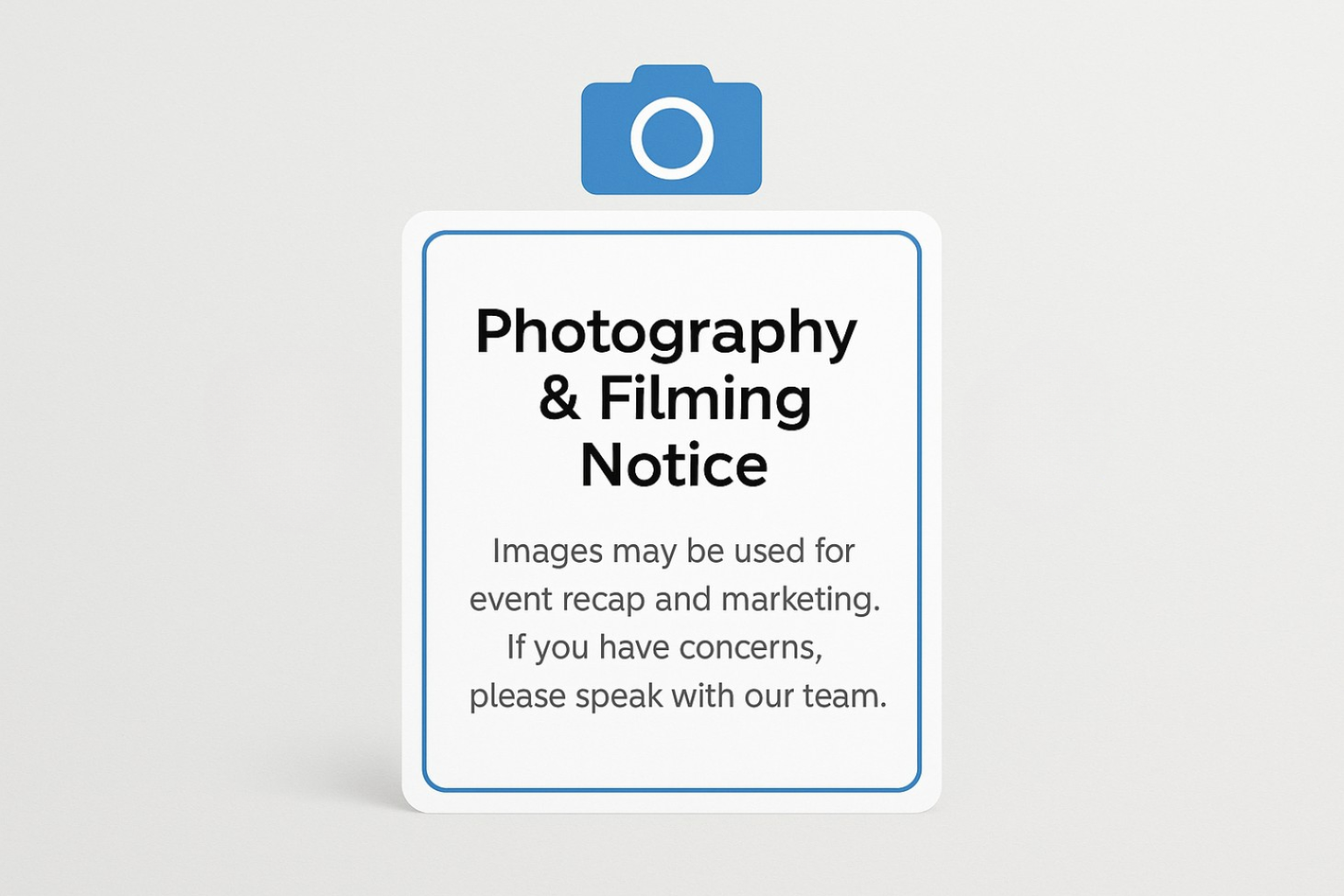
Event photography and filming are standard now. They help you build a library for recaps, social posts and future marketing. They also involve personal data, because guests can be identified in images.
The first step is to be upfront. Tell guests that photography and filming will take place. You can mention it in the registration confirmation email, display signs prominently at entrances and have your emcee give a brief reminder at the start of the day. The wording can stay friendly and clear. For example, “Photography and filming are taking place at this event. Images may be used in our event recap and future marketing”
You also need a plan for guests who prefer not to appear. Some organisers use a small sticker or badge that quietly signals to photographers that this person should be avoided in close-ups. Others reserve seats away from the main stage for camera-shy guests. Brief your photography and videography team so they understand how to handle these situations politely but firmly.
Takedown requests will appear from time to time, especially once photos are posted online. Make it easy for guests to reach you. Provide a clear email address or form, ask them for a link or screenshot and remove or crop the image where it is reasonable to do so. A quick and respectful response shows that you take their concerns seriously and usually prevents further escalation.
Lucky draws, contests and sponsor segments are powerful tools for engagement and lead generation. They also create extra data flows that you should control carefully.
Whenever you invite people to enter a draw or game, explain in plain language why you need their data, how you will use it and whether it will be shared with anyone else. A short paragraph next to the form or QR code is enough, as long as it is clear. For example, you can say that you collect contact details to notify winners and that further marketing messages will only be sent if they choose to opt in.
It is important to separate prize fulfilment from ongoing marketing. The fact that someone wants a chance to win a prize does not mean they want newsletters or sales calls. Make the draw entry itself sufficient for prize contact, then use separate checkboxes for your own marketing and for any sponsor marketing. Guests can then choose what suits them.
Where possible, keep the contest mechanics light on extra data. You can use ticket numbers, existing QR codes or anonymous IDs that link back to your main guest list, instead of asking people to fill in fresh details every time. This reduces errors, speeds up participation and makes your PDPA journey much tidier.
Door gifts are often one of the most memorable parts of an event. They welcome guests, reward attendance and reinforce your brand. They also influence how much extra data you collect and how many new lists you create.
Look first at how gifts create new data. When teams scramble to finalise gifts at the last minute, they often set up extra spreadsheets for sizes, preferences or delivery addresses. These files then get emailed around or saved in personal drives. Instead, try to plan gifting at the same time as you commence registration. Decide early what information you need for gifts and keep that within your main system.
Next, choose gifts with data in mind. A high-quality bottle, desk accessory or tech gadget can usually be distributed without collecting anything beyond a simple name, if that. Apparel, like shirts and jackets, may require a size field, but you can still avoid collecting extra details such as full addresses or birthdates. The more universal the gift, the lighter the data footprint.
Speaking early with a gifting partner helps a lot. DayTech Gifts can suggest options that fit your event type, audience and budget while keeping personalisation simple. That means more delight for guests and fewer complex data flows for your team.
Once you know what you will give, think about what info your supplier actually needs. In many cases, they require only the name field for printing, a size or variant field and an internal code if you want to pack by group. There is rarely a reason to send phone numbers or email addresses to the gift vendor. You stay in control of the guest list, while DayTech Gifts focuses on production and packing.
For on-site redemptions, try to avoid full printed lists on the table. A staff member can scan a QR code or check a code against a secure list on a device, then hand over the gift without revealing sensitive information to others. At the end of the event, any remaining printed materials containing personal data should be stored safely or disposed of in a secure way.
If you want to see what this looks like in practice, you can explore DayTech Gifts catalogue of event-ready gifts and pick a few favourites. With concrete items in mind, you can design redemption and data flows that are simple, fast and respectful of guest privacy.
No organiser works alone. Registration platforms, agencies, photographers, venues and gift vendors all play a part. PDPA does not require you to control every detail inside their systems, but it does expect you to act responsibly when you choose and brief them.
A simple way to think about this is to remember that you decide why personal data is collected and how it is used. Your event platform, marketing agency and gift supplier usually act on your instructions. That means you should be clear with them about what data they will receive, what they may do with it and how long they should keep it.
When you speak to your event platform provider, ask basic questions about access, protection and deletion. Clarify who inside their company can see your event data, how they secure their systems, how long event records remain in their system and how you can export and remove data when a project ends. These conversations do not need to be heavy, but they show that you are paying attention.
With a gift supplier such as DayTech Gifts, you can agree on a simple process for transferring lists and handling them safely. Decide on a file format, use a secure sharing link rather than sending spreadsheets as email attachments and agree on a point in time when the supplier will delete or anonymise the lists after the job is complete. When everyone knows the plan, day-to-day coordination becomes easier and safer.
You do not need a long legal checklist for every event. A few habits, repeated often, give you most of the benefit.
Before the event, review your registration and gifting plans together. Check whether the form collects more data than you truly need, whether the consent language is clear and whether your gift choices align with a light data footprint. Confirm that your event platform and vendors understand what they may do with the data they receive.
During the event, keep an eye on how your team actually handles lists, devices and photos in practice. A brief reminder before doors open can nudge people to lock screens, protect printed materials and answer guest questions calmly. If something looks off, fix it on the spot and treat it as a learning point for next time.
After the event, clean up. Remove old files from shared folders, close access for people who no longer need it and confirm that vendors have completed their tasks and cleared any temporary data. If a guest raises a concern, respond quickly and honestly and adjust your process so the same issue does not repeat.
Over time, these habits become part of your standard event playbook. PDPA stops feeling like a separate task and becomes a natural part of how you plan and execute events.
Events in Singapore are only getting more data-driven. At the same time, guests are more aware of how their information is used. A thoughtful approach to PDPA lets you do both: run engaging events and show people that you respect their privacy.
This guide gives you a starting point. It helps you see where data flows, where risks sit and how gifting choices influence the amount of data you truly need. You stay in control of the guest list and the legal decisions, while your partners support the operational work.
If you want gift ideas that fit your audience without creating complex data flows, you can explore DayTech Gifts online catalogue and shortlist a few options for your next event. Having concrete gifts in mind makes it easier to design clean, PDPA-aware registration, consent and redemption flows.
When you are ready to move from planning to execution, get in touch with DayTech Gifts with your event date, estimated headcount and budget. Their team can walk you through suitable gift ideas, share mock-ups and propose a fulfilment plan that uses only the data you really need. Whether you have specific questions about how gifting fits into your PDPA approach or you simply want to see what is possible, a short conversation and a look at their catalogue can help you design an event experience that feels good, looks good and treats guest data with care.


.png)


